Building a Plugin
Plugins are reusable packages that bundle agents, labels, and shared files together. A plugin can be installed into any project, exported as a directory, and shared via local filesystem paths, GitHub repositories, or HTTP registries. Kombuse includes a built-in plugin feed at kombuse.dev that lists publicly available plugins.
Plugin Directory Structure
Section titled “Plugin Directory Structure”A plugin is a directory with the following layout:
my-plugin/├── manifest.json├── .kombuse-plugin/│ └── plugin.json├── agents/│ ├── agent-one.md│ └── agent-two.md└── files/ ├── preamble/ │ └── shared.md └── presets/ └── default.jsonEach directory serves a specific purpose:
manifest.json— standard package metadata (name, version, author).kombuse-plugin/plugin.json— Kombuse-specific manifest with label definitions and export metadata; auto-generated on exportagents/— one markdown file per agent, named by agent slugfiles/— shared files available to agents for template includes and configuration presets
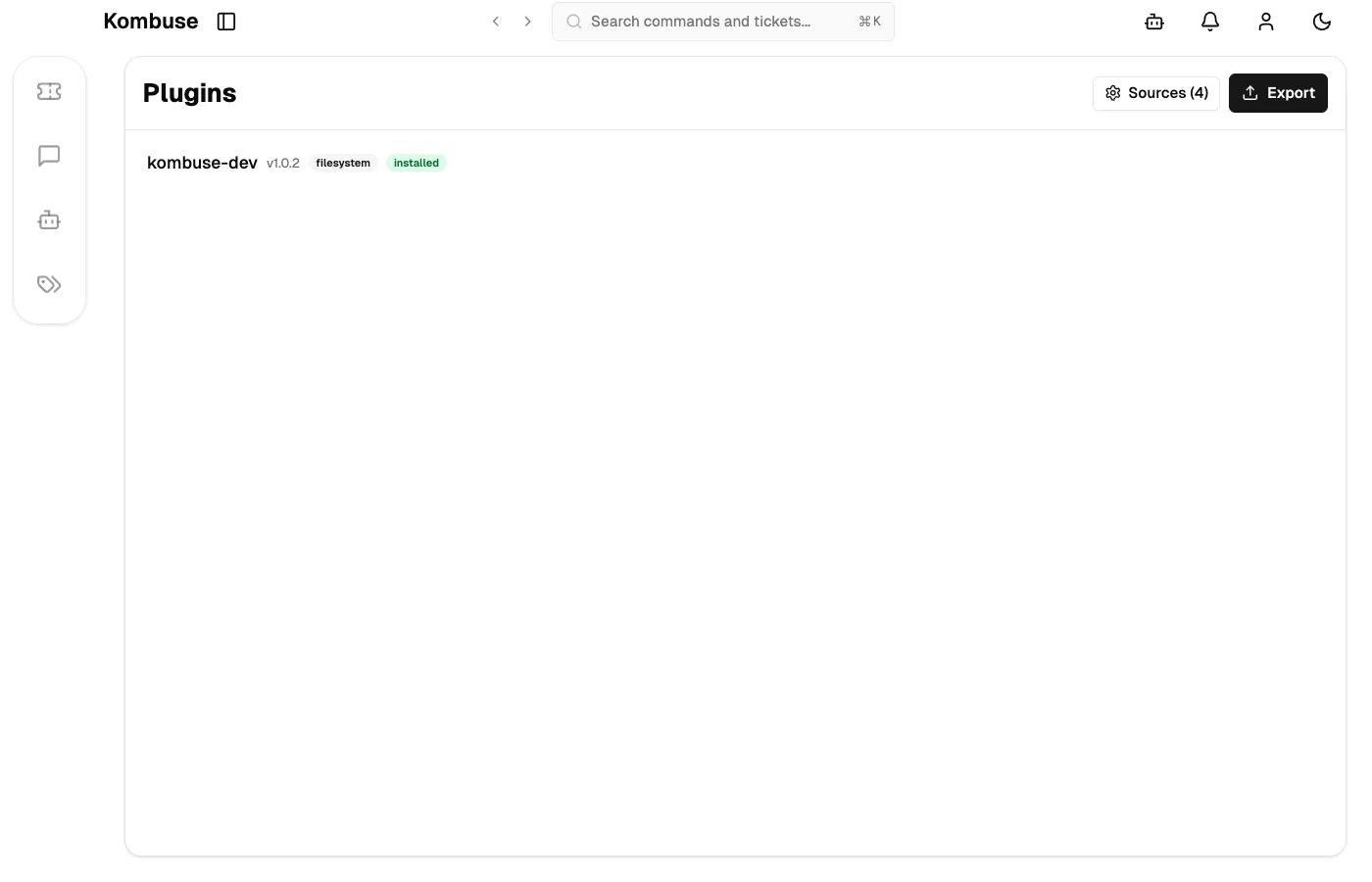
Plugins live in .kombuse/plugins/ at the project level or ~/.kombuse/plugins/ globally. Both locations are auto-discovered when the Plugins page is opened.
Writing an Agent
Section titled “Writing an Agent”Each agent is a single markdown file with two parts:
- YAML frontmatter (between
---delimiters) — agent metadata and configuration - System prompt — the markdown body that becomes the agent’s instructions
A complete agent file looks like this:
---name: Triage Agentslug: triage-agentdescription: Classifies new tickets and adds labelsavatar: searchtype: kombusemodel: claude-sonnet-4-5-20250929backend_type: nullis_enabled: trueenabled_for_chat: falsepermissions:  - type: resource    resource: ticket    actions: [read, update]    scope: global  - type: tool    tool: search_tickets    scope: globaltriggers:  - event_type: ticket.created    conditions: {}    is_enabled: true    priority: 0---
System prompt goes here. Shared files can be included with Jinja2 syntax:
{% include "preamble/shared.md" %}
Template variables are replaced at runtime:- Ticket title: {{ ticket.title }}- Project name: {{ project.name }}- Session ID: {{ kombuse_session_id }}
Key frontmatter fields:
| Field | Description |
|---|---|
name | Display name shown in the UI |
slug | URL-safe identifier; must match the filename (without .md) |
description | One-line summary shown in the agents list |
avatar | Lucide icon name (e.g. search, clipboard, pen) |
type | Agent type: kombuse, coder, or generic |
model | Model ID (e.g. claude-sonnet-4-5-20250929) or null for the project default |
backend_type | Backend to use (e.g. claude-code) or null for the project default |
is_enabled | Whether the agent is active |
enabled_for_chat | Whether the agent appears in the chat @mention list |
permissions | Array of resource and tool permissions |
triggers | Array of event triggers |
Permissions and Triggers
Section titled “Permissions and Triggers”Permissions
Section titled “Permissions”Resource permissions control access to Kombuse data:
permissions: - type: resource resource: ticket # ticket, comment, ticket.labels actions: [read, create, update, delete] scope: global # invocation, project, or globalTool permissions grant access to specific MCP tools:
- type: tool tool: search_tickets scope: globalWithout the appropriate permissions, tool calls made by the agent are denied at runtime.
Triggers
Section titled “Triggers”Triggers define when an agent runs automatically. Each trigger specifies an event type, optional conditions, and a priority that controls execution order when multiple agents respond to the same event.
triggers: - event_type: mention.created conditions: mention_type: profile mentioned_profile_id: $SELF is_enabled: true priority: 0 - event_type: label.added conditions: label_name: needs-triage is_enabled: true priority: 0Common event types:
| Event | When it fires |
|---|---|
ticket.created | A new ticket is created |
label.added | A label is added to a ticket |
label.removed | A label is removed from a ticket |
mention.created | A profile is @mentioned in a comment |
The $SELF placeholder in trigger conditions is replaced with the agent’s own profile ID when the plugin is installed.
The Plugin Manifest
Section titled “The Plugin Manifest”A plugin includes two manifest files.
manifest.json
Section titled “manifest.json”The root-level manifest contains standard package metadata:
{ "name": "my-plugin", "version": "1.0.0", "type": "plugin", "author": "your-name"}The name field must be kebab-case (matching ^[a-z0-9]+(-[a-z0-9]+)*$). The version field follows semantic versioning.
.kombuse-plugin/plugin.json
Section titled “.kombuse-plugin/plugin.json”This file contains Kombuse-specific metadata and is auto-generated when exporting. It can also be written by hand:
{ "name": "my-plugin", "version": "1.0.0", "kombuse": { "plugin_system_version": "kombuse-plugin-v1", "exported_at": "2026-03-01T00:00:00.000Z", "labels": [ { "name": "Bug", "color": "#e5534b", "description": "A defect" } ] }}Labels listed in plugin.json are created (or merged with existing labels) when the plugin is installed into a project.
Exporting a Plugin
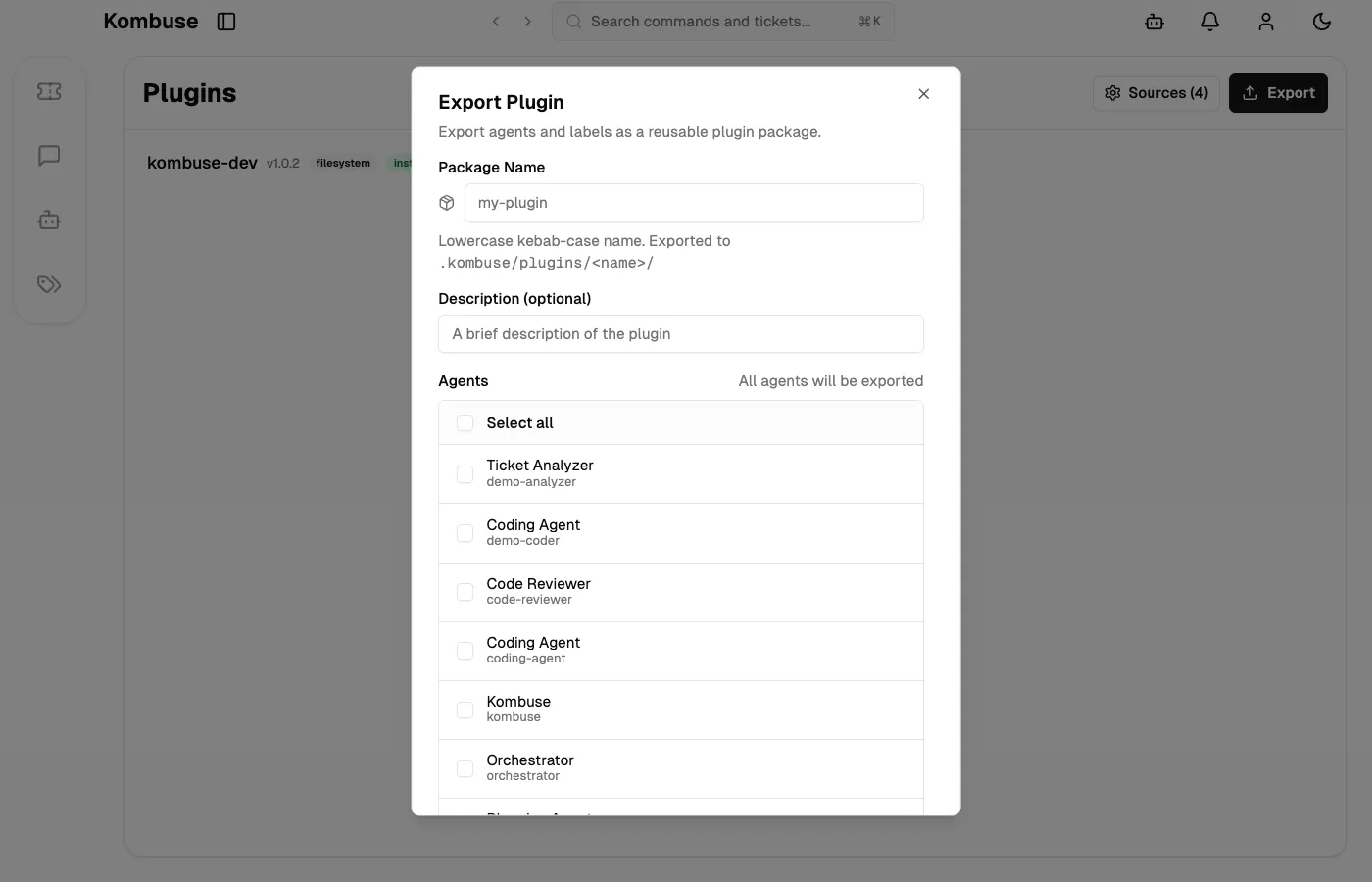
Section titled “Exporting a Plugin”Existing agents in a project can be packaged into a plugin using the export dialog on the Plugins page:
- Open the Plugins page from the sidebar
- Click Export in the page header
- Enter a kebab-case package name and optional description
- Select which agents to include, or click Export All to include every agent in the project
- Labels used by the selected agents are automatically included in the export
The export creates a plugin directory at .kombuse/plugins/{package-name}/ with the complete directory structure: manifest.json, .kombuse-plugin/plugin.json, agents/, and files/.
Plugins can also be assembled by hand — creating the directory structure and files directly, without using the export dialog.
Sharing and Installing
Section titled “Sharing and Installing”Plugins are distributed through sources. Three source types are supported.
Filesystem
Section titled “Filesystem”Project-level plugins in .kombuse/plugins/ and global plugins in ~/.kombuse/plugins/ are auto-discovered. Additional directories can be added as custom filesystem sources from the Sources configuration on the Plugins page.
GitHub
Section titled “GitHub”Plugins hosted in a GitHub repository can be added as a source:
{ "type": "github", "repo": "owner/repo" }A specific plugin within the repository can be targeted with package_name. Private repositories are supported via a token field — environment variable syntax ($ENV_VAR) is accepted to avoid storing credentials directly.
HTTP Registry
Section titled “HTTP Registry”Any HTTP-compatible registry can be configured as a source:
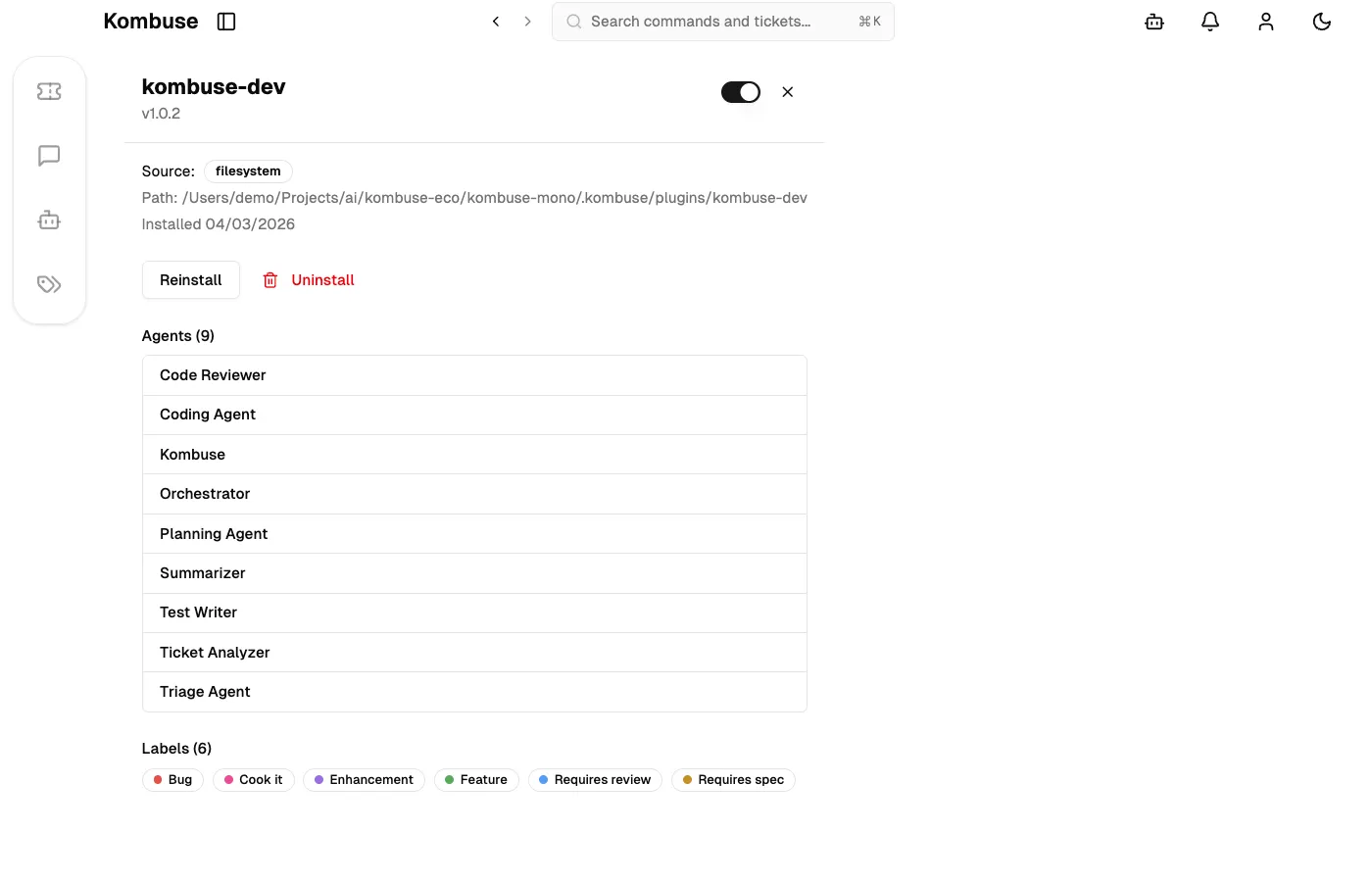
{ "type": "http", "base_url": "https://registry.example.com" }Sources are configured from the Sources button on the Plugins page. Plugins from all configured sources appear in the Available section and can be installed with a single click. Installed plugins display their current version and show an update prompt when a newer version is available.
See also
Section titled “See also”- Agent Permissions — control what resources and tools agents can access
- Plugins — browse, install, and manage plugin packages
- MCP Integration — connect external AI tools to Kombuse