Git & Version Control
Kombuse agents don’t include a built-in git client. Version control operations happen through Bash tool calls that the underlying CLI backend (such as Claude Code) executes as subprocesses. Kombuse’s permission system sits between the agent and the filesystem, controlling which git commands are auto-approved, which require interactive user approval, and which are blocked entirely.
The kombuse-dev plugin ships with three permission presets — kombuse, coder, and generic — that define different levels of git access for different agent roles.
How Agents Use Git
Section titled “How Agents Use Git”When an agent needs to inspect the current branch or commit a change, it issues a Bash tool call with the relevant git command. That call passes through Kombuse’s permission system, which checks the command prefix against the agent’s configured auto-approved list. If the prefix matches, the command runs immediately. If not, a permission request appears in the chat interface for the user to allow, deny, or always approve.
Agent → Bash tool call → Kombuse permission check → Backend CLI subprocess → gitThe /commit skill is a Claude Code built-in that provides a structured commit workflow. It is not part of Kombuse itself — agents running on other backends do not have access to it.
Default Git Permissions
Section titled “Default Git Permissions”The kombuse-dev plugin assigns agents to one of three permission presets based on their role. The preset determines which git commands are auto-approved without user interaction.
| Preset | Auto-Approved Git Commands | Other Auto-Approved Bash | Notes |
|---|---|---|---|
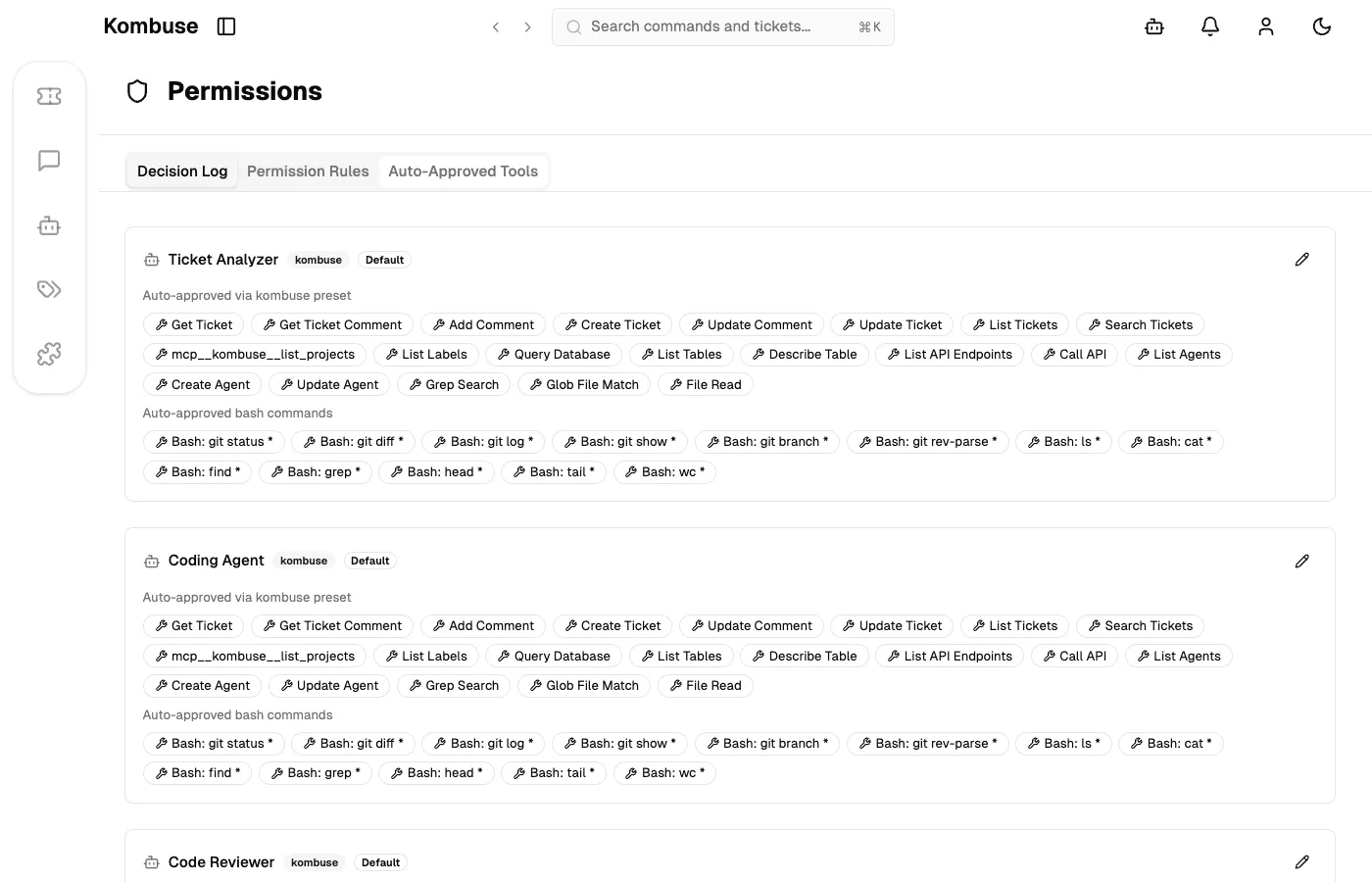
kombuse | git status, git diff, git log, git show, git branch, git rev-parse | ls, cat, find, grep, head, tail, wc | Read-only access. Suitable for agents that inspect the repository without writing to it. |
coder | git status, git diff, git log | bun, npm, yarn, pnpm, npx, cargo, make, go, python, pytest, pip, uv | Full Bash tool access including build tools. Git write commands go through interactive approval. |
generic | None | None | Minimal access — only Grep, Glob, and Read tools. Every git operation requires explicit user approval |
The coder preset grants the Bash tool itself as auto-approved, meaning agents using this preset can issue any shell command. However, git write operations such as git commit, git push, and git checkout are not in the auto-approved command prefix list, so each requires interactive approval — or an explicit “Always Allow” configuration.
The following screenshot shows the Auto-Approved Tools tab on the Permissions page, where the pre-configured git command prefixes are visible per agent.
Approving Git Write Operations
Section titled “Approving Git Write Operations”When an agent issues a git write command that isn’t auto-approved — such as git commit, git push, or git checkout — a permission request bar appears in the chat interface. The user can:
- Allow — permits this specific invocation once
- Always Allow — saves the command prefix and auto-approves all future calls matching it from this agent
- Reject — denies this invocation
Choosing “Always Allow” for git commit will auto-approve all future git commit ... calls from that agent. Approving the broader prefix git would auto-approve every git subcommand, including destructive ones such as git push --force or git reset --hard. Keeping approvals scoped to specific subcommands is recommended.
Pre-configured approvals can be managed at any time through the Auto-Approved Tools tab on the Permissions page, where Bash command prefixes can be added or removed per agent. For full details on the permission system and the interactive approval interface, see Agent Permissions.
Customizing Your Git Workflow
Section titled “Customizing Your Git Workflow”The kombuse-dev plugin’s agents don’t have hardcoded git workflow instructions. How agents handle version control is configurable through system prompts, AGENTS.md files, and permission presets.
PR-Based Flow
Section titled “PR-Based Flow”By default, the Coding Agent commits directly to the current working branch. To switch to a PR-based flow, instructions can be added to the project’s AGENTS.md file or to the agent’s system prompt. The following example instructs the agent to create a feature branch, commit changes, and open a pull request:
## Git Workflow
When implementing changes:1. Create a feature branch: `git checkout -b feat/<ticket-number>-<short-description>`2. Commit changes with a descriptive message3. Push the branch: `git push -u origin HEAD`4. Open a pull request: `gh pr create --title "<title>" --body "<summary>"`
This workflow requires additional Bash command approvals — git checkout, git push, and gh — either granted interactively during execution or pre-configured via the Auto-Approved Tools tab.
Worktrees
Section titled “Worktrees”Claude Code includes built-in support for EnterWorktree, which creates an isolated working copy of the repository in .claude/worktrees/. Agents can be instructed to use worktrees when working on parallel tickets, keeping changes isolated until they are ready to merge.
The kombuse-dev plugin does not use worktrees by default. Enabling them requires adding instructions to the agent’s system prompt or AGENTS.md. Worktrees are a Claude Code feature and are not available on other backends.
Branch Protection
Section titled “Branch Protection”Kombuse does not enforce branch protection rules. To prevent agents from pushing directly to a protected branch, the git hosting provider’s branch protection settings (such as GitHub’s protected branch rules) serve as the enforcement layer. On the Kombuse side, keeping auto-approved commands scoped to read-only prefixes and instructing agents to follow a PR-based flow provides defense in depth.
Custom Presets
Section titled “Custom Presets”Agent permission presets are defined in files/presets/*.json inside a plugin directory. Each JSON file specifies the autoApprovedTools and autoApprovedBashCommands arrays for that preset type. An agent is assigned to a preset by setting the type field in its markdown frontmatter to match the preset filename (without the .json extension).
The following example shows a preset that pre-approves common git write commands:
{ "autoApprovedTools": ["Bash", "Grep", "Glob", "Read", "Edit", "Write"], "autoApprovedBashCommands": [ "git status", "git diff", "git log", "git checkout", "git commit", "git push", "gh pr create" ]}For the full plugin directory structure and preset conventions, see Building a Plugin.
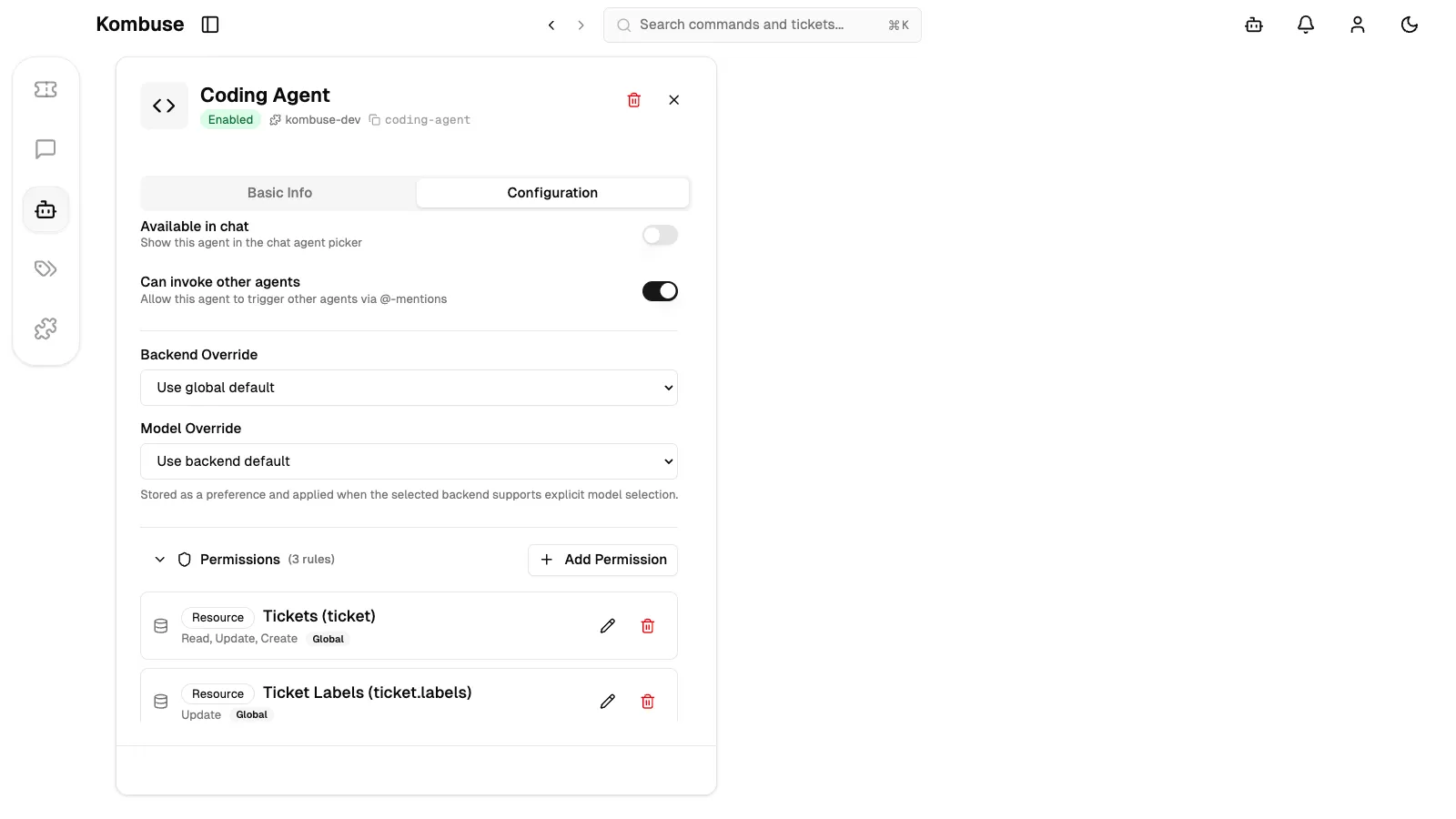
The following screenshot shows the Coding Agent’s Configuration tab, where the backend, model, and permissions can be customized per agent.
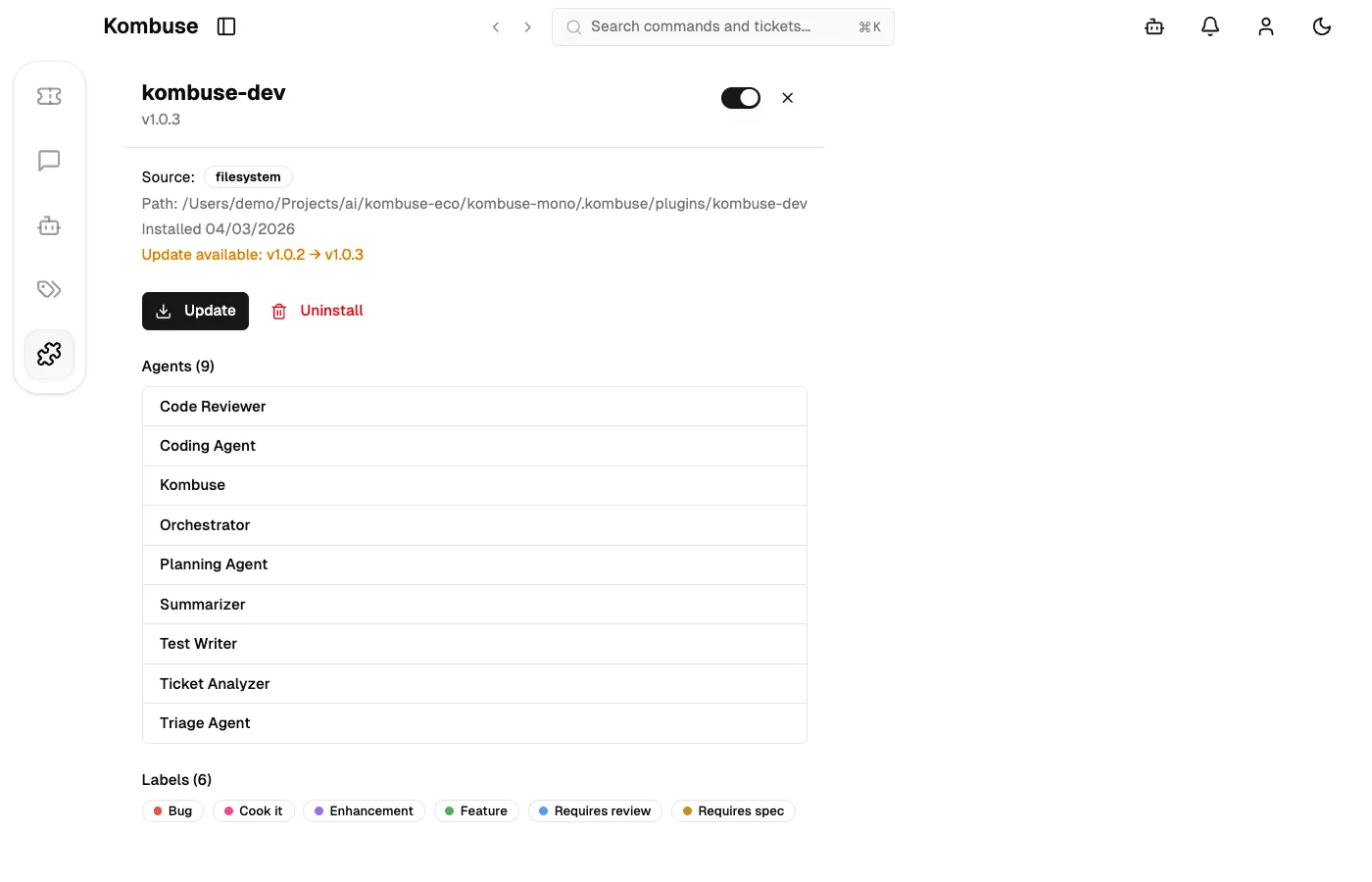
The following screenshot shows the kombuse-dev plugin detail page, listing the agents bundled with the plugin.
See Also
Section titled “See Also”- Agent Permissions — full documentation of the permission system, interactive approval, and the Permissions page
- Building a Plugin — create plugins with custom presets and agents
- Using Kombuse from Claude Code — set up the MCP connection that enables agent-to-git interaction