Getting Started
What is Kombuse
Section titled “What is Kombuse”Kombuse is a local-first desktop app for managing AI coding agents with a built-in private issue tracker. Everything runs entirely on your machine — no cloud dependency, no data leaving your computer. It manages AI agents that work alongside Claude Code and integrates a private ticket system for tracking work. Kombuse is free and open source.
Download and Install
Section titled “Download and Install”Visit kombuse.dev to download the latest release for your platform. Installers are available for macOS. Download the installer, run it, and you’re ready to go.
Creating Your First Project
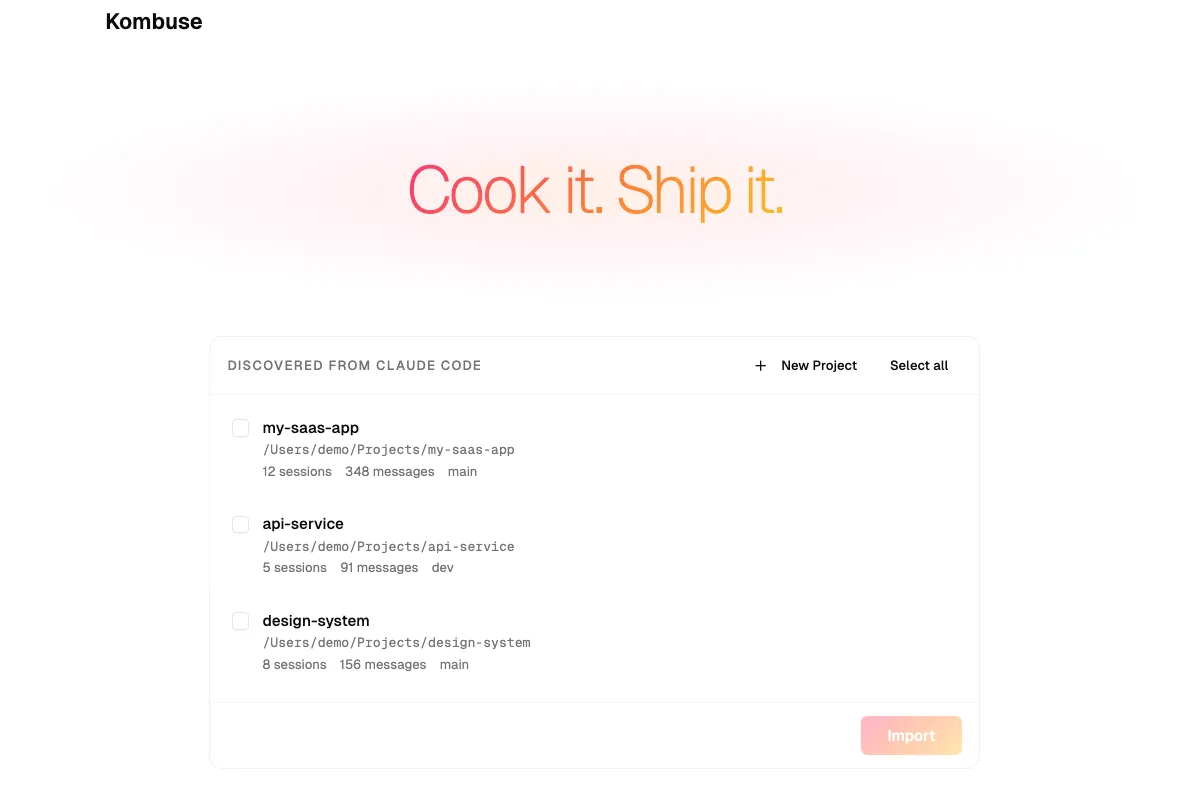
Section titled “Creating Your First Project”When you launch Kombuse, the home page lists your projects. Kombuse automatically discovers Claude Code projects on your machine — look for the Discovered from Claude Code section at the bottom of the page.
Click Import on a discovered project to add it, or use the New Project button to create one from scratch. Each project gets its own ticket tracker, agents, and configuration.
Navigating the Sidebar
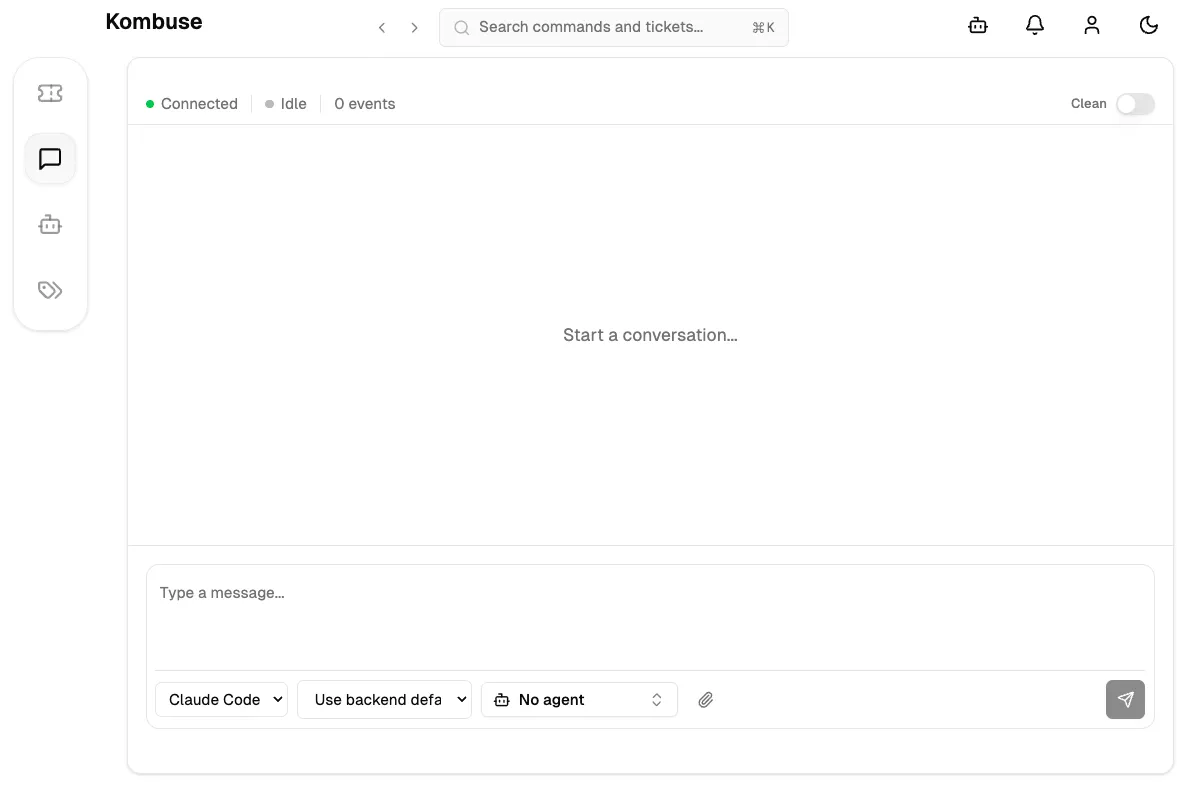
Section titled “Navigating the Sidebar”Once inside a project, the sidebar gives you access to the main sections:
- Tickets — your private issue tracker
- Chats — conversations with AI agents
- Agents — configure and manage AI assistants
- Labels — organize tickets with color-coded tags
Additional sections like Events, Permissions, Database, Plugins, and Analytics can be enabled in Settings.
Working with Tickets
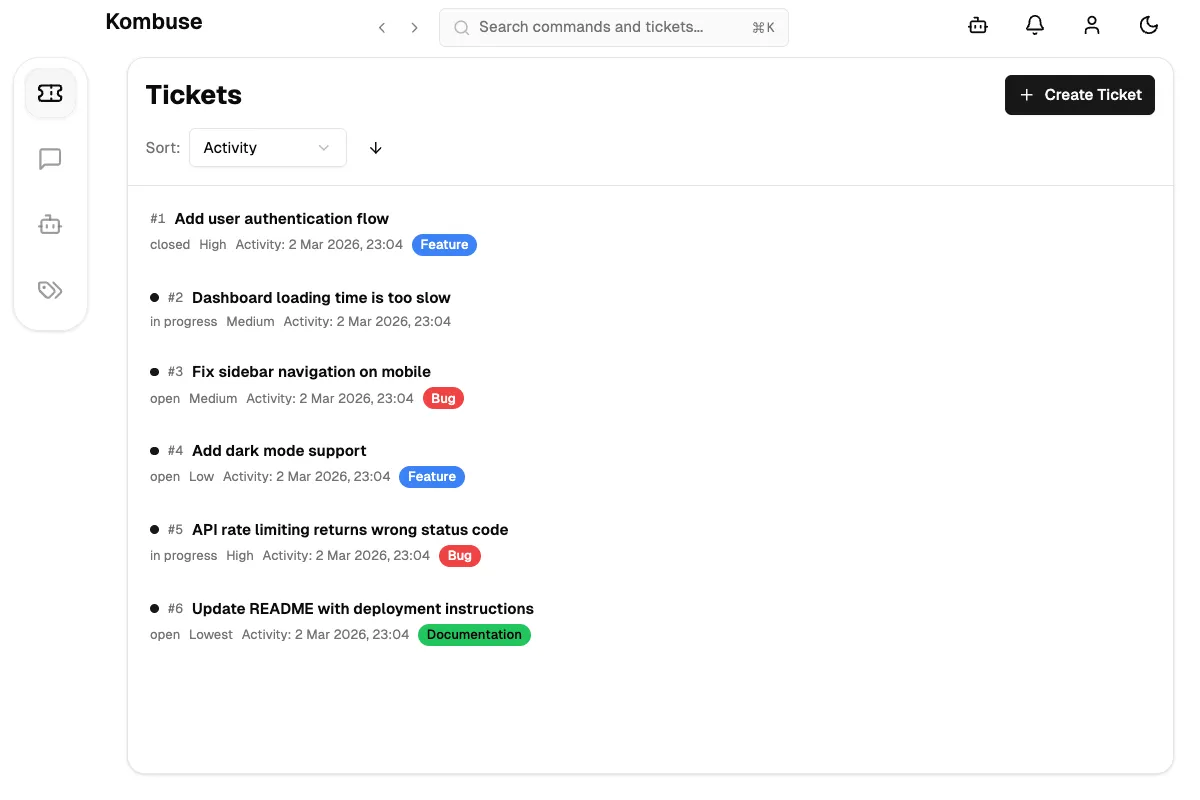
Section titled “Working with Tickets”The Tickets page is your private issue tracker. Create tickets to track bugs, features, and tasks. Tickets support statuses (open, in progress, blocked, closed), priority levels, labels, and assignees.
Write descriptions and comments in Markdown. AI agents can also create, update, and comment on tickets autonomously — this is how agents coordinate work across your project.
Managing Agents
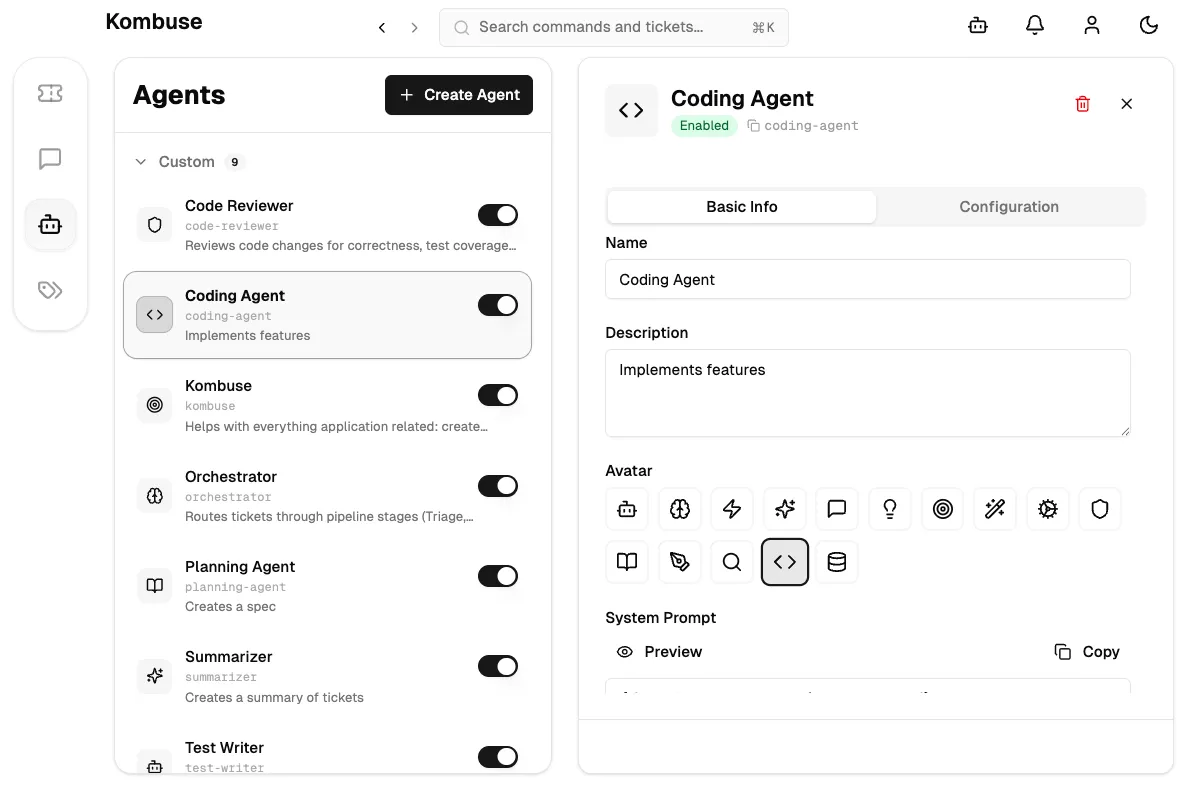
Section titled “Managing Agents”Agents are AI assistants that respond to ticket events — like new comments, label changes, or status updates. Each agent has a system prompt defining its behavior, configurable triggers that determine when it activates, and permissions controlling what it can do.
Kombuse ships with starter agents for triage, coding, orchestration, testing, code review, and more. You can create custom agents for your own workflow.
These docs are generated by a pipeline of Kombuse agents that plan content, navigate the app, capture screenshots, and monitor for changes.
User-in-the-Loop
Section titled “User-in-the-Loop”Kombuse agents work autonomously but check in at key decision points. This user-in-the-loop model means agents handle routine work while the user stays in control of important decisions.
Three types of check-ins appear as notifications in the header bar:
1. Permission Requests — An agent needs to run a command, edit a file, or perform an action that requires approval. The notification shows what the agent is requesting, with options to Allow (once), Always Allow (for that tool), or Deny. This prevents agents from taking unexpected actions on the system.
2. Plan Reviews — Before implementing a complex change, an agent presents its plan. Reviewing the approach and choosing to Approve or Reject it ensures agents don’t invest time in the wrong direction. The full plan can be previewed before deciding.
3. Agent Questions — When an agent needs input — a design decision, a preference, or clarification — it asks directly through the notification system. The question and available options are shown in the notification, with a link to navigate to the full session for more context.
The default configuration is semi-autonomous: plan mode requires explicit approval before implementation begins, and certain tool calls need permission. This balance gives agents enough autonomy to be productive while keeping the user informed and in control.
Permission requirements can be adjusted per-agent through agent permission configurations — from requiring approval for every action to running fully autonomously.
Next Steps
Section titled “Next Steps”- Using Kombuse from Claude Code — connect AI agents to a project and manage tickets from the terminal
- Triage with AI — automate ticket classification using AI agents
- Tickets — full ticket documentation including milestones, filtering, and sorting
- Agents — configure AI assistants with triggers and permissions
- Building a Plugin — create reusable agent packages for sharing across projects
- Agent Permissions — configure what agents can do without asking
- Settings & Configuration — customize notification preferences